Get instant insights into your projects

TIMECHIMP MCP (beta)
Get instant insights with TimeChimp MCP
Connect TimeChimp to Claude or ChatGPT, ask a question, and get instant answers about your projects, budgets, and hours. No more manually searching through reports - get the insights you need right away.

Ask ChatGPT or Claude questions and get reliable insights from your TimeChimp data instantly.
Ask your AI assistant which projects are going over budget, how many hours were logged this week, or what your billability rate is.
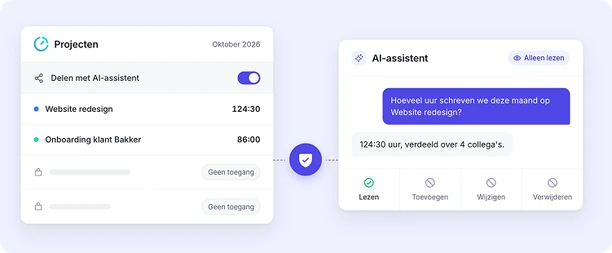
The MCP only gives your AI assistant read-only access to your data. Nothing in TimeChimp can be changed or deleted.
The MCP works with Claude, ChatGPT, and other AI assistants that support the MCP protocol.



Ask the questions you’d normally search for in reports
Simply ask ChatGPT or Claude and get instant answers based on your TimeChimp data:
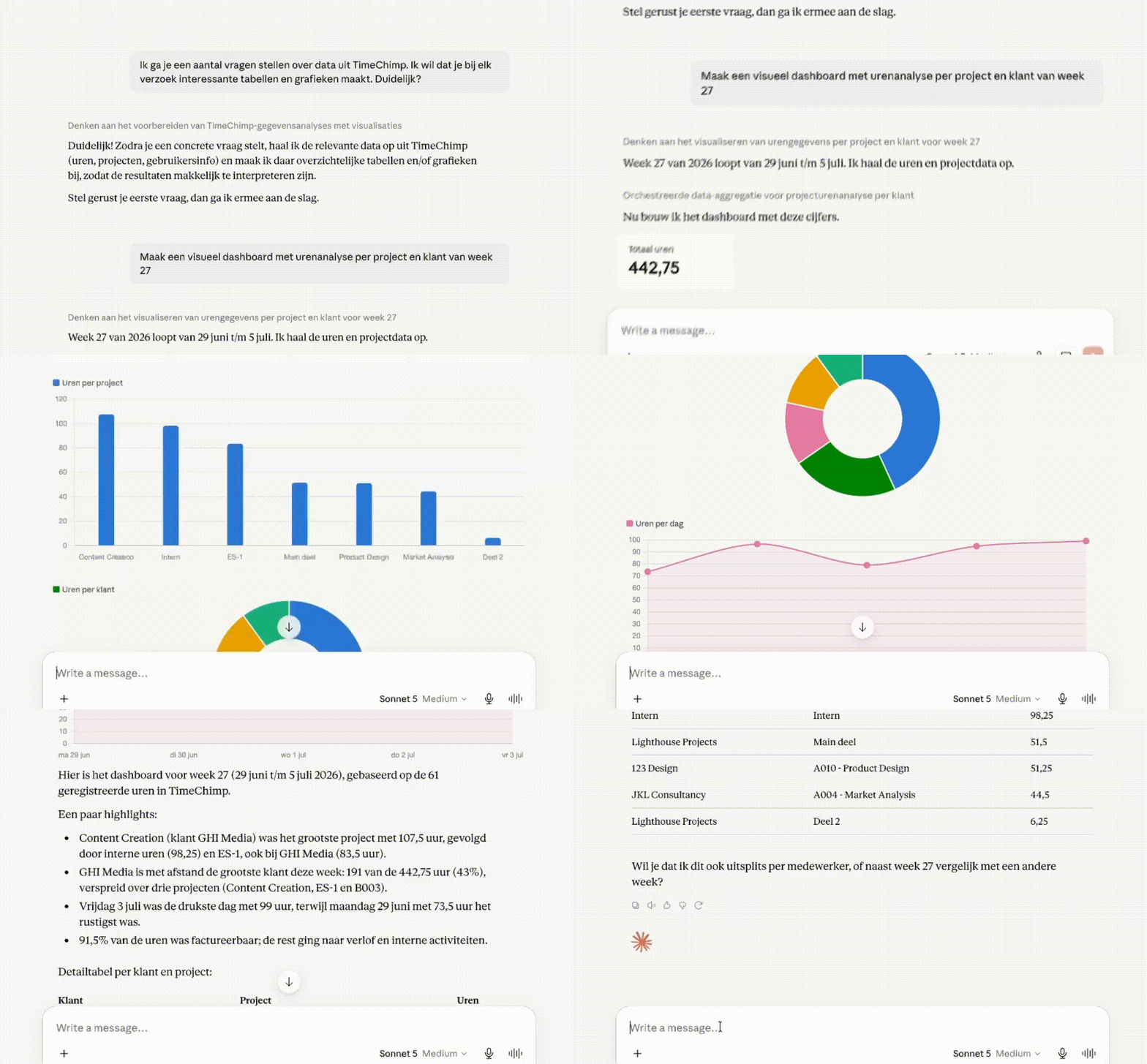
Ask Claude or ChatGPT and instantly get the data you need to make decisions about your organization.

Veiligheid van je data: AI ziet alleen wat jij mag zien
Haal meer uit je TimeChimp-data met Claude of ChatGPT, terwijl jij de toegang in handen houdt. Je AI-assistent ziet alleen wat jij mag zien en kan niets wijzigen in je administratie.
Get instant insights into your projects
Ask ChatGPT or Claude questions and get insights from your TimeChimp data.

Here are our most frequently asked questions. Need more help? We're happy to help you out.
MCP stands for Model Context Protocol, an open standard that lets AI assistants work with other software. With TimeChimp MCP, you connect TimeChimp to your AI assistant. Ask questions about your projects, budgets and hours in plain language and get answers straight away, without building reports yourself.
You can connect TimeChimp MCP to Claude, ChatGPT or Microsoft Copilot.
Anything you would normally open a report for. For example: which projects are going over budget, how many hours are still open on a project, or how many billable hours did the team log last month? The more specific your question, the better the answer.
No. At the moment, TimeChimp MCP can only read data. Your AI assistant cannot log hours or change projects.
No. Your AI assistant only sees what you are allowed to see in TimeChimp. Your existing permissions still apply.
At the moment, TimeChimp MCP is available to all customers, on every plan.