

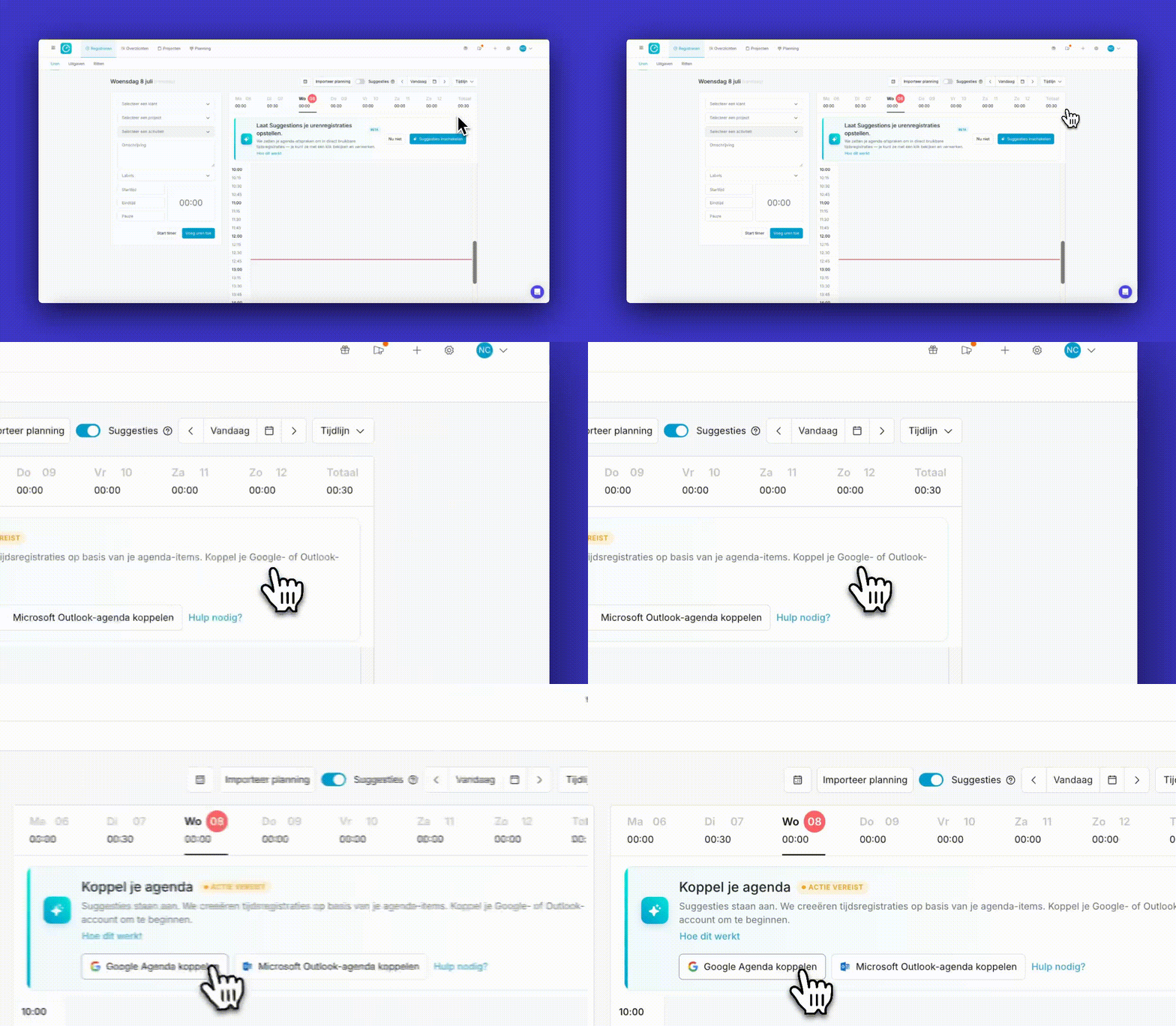
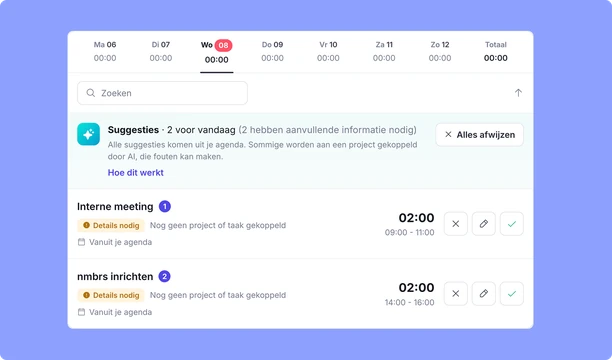
Met 'AI-Suggesties' stelt TimeChimp automatisch tijdregistraties voor, op basis van je agenda en werkhistorie. Jij bekijkt de suggestie, past aan waar nodig en bevestigt. Zo simpel is het.


Altijd de juiste uren op jouw facturen
Elke gewerkte minuut komt terecht op de juiste factuur — zonder dat jij dat achteraf hoeft uit te zoeken. Koppel eenmalig je agenda, TimeChimp doet de rest:
Lees hier meer over Suggesties in TimeChimp.
Begin vandaag met AI urenregistratie
Meer declarabele uren, minder administratie - vanaf dag 1.
TimeChimp vult je uren in, jij bevestigt.
Minder tijd aan handmatig registreren. Meer tijd voor je werk.
Elke week opnieuw bedenken wat je hebt gedaan, kost tijd die je liever aan je werk besteedt.
Je hoeft je nooit af te vragen wie je data ziet
Je agenda-data is alleen voor jou zichtbaar.

You've got questions. We've got answers.
Here are our most frequently asked questions. Need more help? We're happy to help you out.
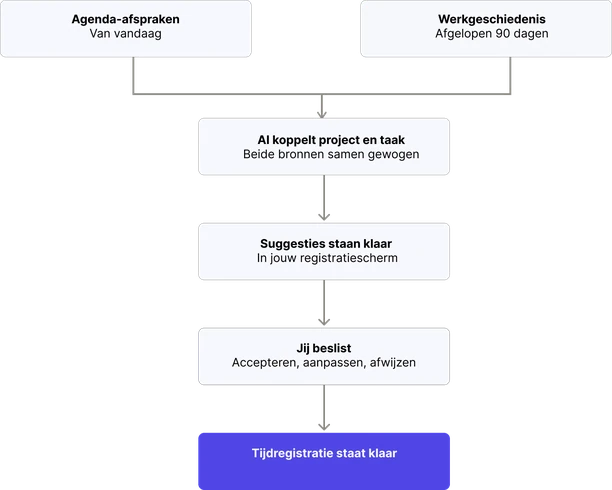
TimeChimp analyzes your calendar appointments and compares them with your time entries from the past 90 days. Based on recurring patterns, the AI suggests the appropriate project, activity, and number of hours. You always decide whether to accept, adjust, or reject the suggestion.
Yes. TimeChimp only processes the information necessary to generate suggestions. Sensitive data, such as email addresses and meeting links, is removed beforehand. AI processing takes place within Microsoft Azure in the EU, and your data is not used to train AI models.
No. Suggestions are never added to your time tracking automatically. You only receive a proposal that you can review, edit, or approve with a single click. This ensures you always stay in control of your logged hours.
